
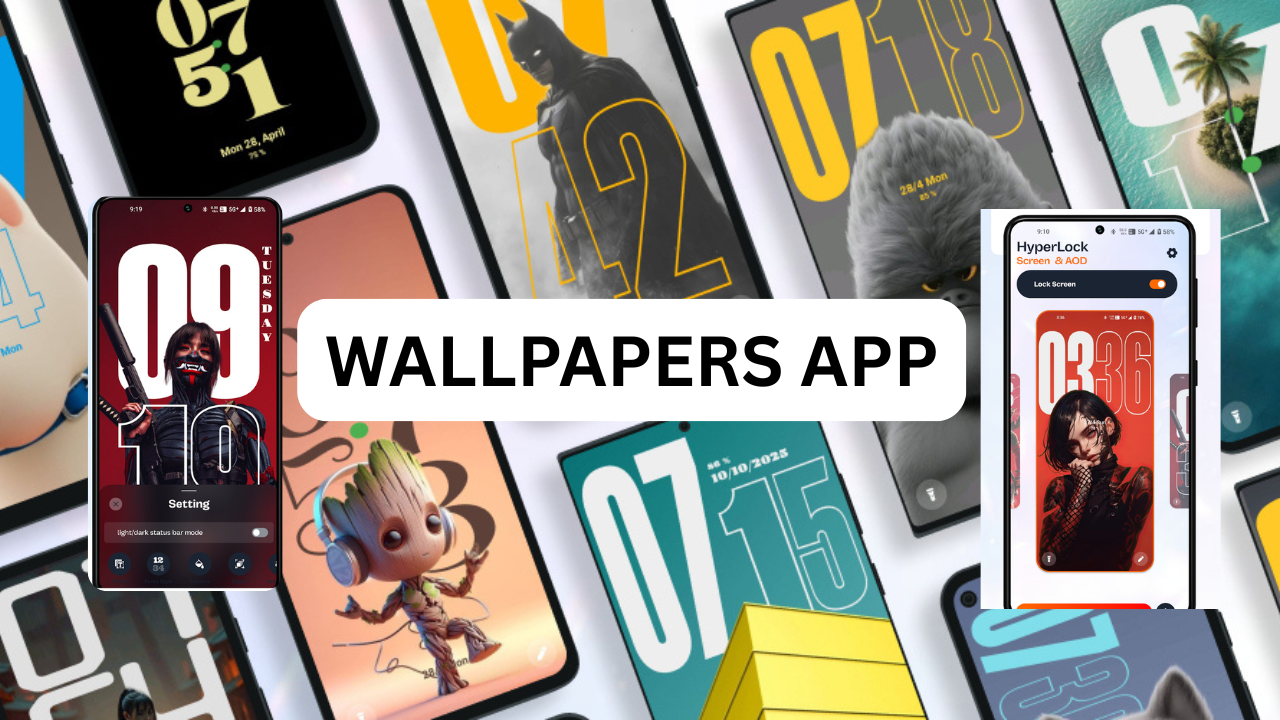
HyperLock Screen & AOD
What is HyperLock Screen & AOD?
-
It offers customisation of fonts, colours, clock styles, formats (12/24-hour) etc
-
It emphasises smoother animations transitions between lock screen and AOD.
-
It is designed for Android 7.0+ devices
Key Features & Breakdown
Here are the main features, with commentary on how they matter:
True Depth Effect
The app claims you can create a stunning layered effect for an ultra-modern, immersive look on your lock screen and AOD
-
-
What this means: The “depth” likely refers to parallax or layered UI elements that move/shift slightly based on motion or visual depth cues, giving a 3D-like impression.
-
Why it matters: Many stock lock screens are flat time notifications on a static wallpaper. Depth adds a sense of premium and motion, which can enhance visual appeal.
-
Consideration: Such effects may use more GPU animation resources and could impact battery performance slightlyCustomisation of Fonts, Colours, Clock Styles
-
Choose your own font styles, colour schemes, clock formats
-
This is significant because users often want their lock screen to match their aesthetic minimalist, bold, dark mode, etc. This app gives more freedom than many built-in lock screen editors.d
-
dynamic Clock Animations
-
The app lets you enable or disable clock animations for “smooth transitions”.
-
Example: The clock might animate into view, or there may be fade/slide effects. Visible difference from a static display.Benefit: Gives a richer user experience, making unlocking the phone feel more refined.
-
-
-
Trade-off: Animations may slightly delay information display or consume a bit more power.
DOWNLOAD
Seamless Transitions between Lock Screen and AOD
The app emphasises “switch effortlessly between lock screen and AOD, offering a flawless, connected experience.”
This is important because often AOD (always on) is designed for minimal display when screen is “off”, and then when unlocked you go to lock screen. Ensuring the visual style is coherent between the two improves UX.
If done well: the user sees the lock screen style, taps wakes the device, it transitions smoothly into the full lock screen layout
Control Over Effects
The depth effects can be toggled on/off. The swipe sensitivity has improved.
Having such toggles is beneficial: If you prefer minimal effects you can disable them while still using the custom lock screen.
Update in Version 0.0.4
New Lock Screen style added.
Performance optimisations for smoother experiences.
Bug fixes to improve reliability.
AOD Brightness Control now available in Settings (important!).
Improved swipe sensitivity customization for lock screen.Installation & Usage Guide
Ensure your devie meets the minimum requirement: Android 7.0+
Download from trusted source: The app is available via APKPur.
Enable installation of apps from unknown sources standard Android security step.
Install the app.
Grant necessary permissions: likely overlay permissions, lock screen permission etc. Be cautious and review what permissions are requested.
In summary: If you are someone who values visual flair, personalization, and want your lock screen/AOD to look more “premium” rather than default, then HyperLock Screen & AOD is worth trying. It represents a good way to make the first screen you see (and the always-on screen) look more polished and customized.

